Most Unity projects can fire a motor in an afternoon. Shipping intentional controller feel across weapons, UI, vehicles, and hits is a different job. Teams often discover that gap late: Play Mode guesswork, one-off float values, and “it feels fine on my pad” reviews that fall apart on the next controller.
This post is about why gamepad haptics are hard to iterate in Unity, what a healthier authoring loop looks like, and how a preset-based studio workflow (the approach behind Vibe Engine – Controller Haptics) keeps feel visible, comparable, and reusable.
Table of Contents
Why “just add rumble” fails late
Rumble looks simple because the runtime call is simple. The craft problems show up when content scales:
- No shared language for patterns —
Intensity and timing live as magic numbers in scripts, so nobody can reuse or review feel the way they review audio or VFX. - Hard to A/B two feels —
Comparing “snappy hit” vs “heavy thud” usually means swapping code, rebuilding scenes, or trusting memory from the last Play Mode session. - Controllers disagree —
Xbox, PlayStation-class, Nintendo, and generic pads do not respond the same. One curve rarely fits every family. - Guess-and-check burns time —
Without a visible shape for the rumble, tuning becomes play, tweak, play again, with little durable record of what changed.
None of that means haptics are optional. It means feel needs a workflow, not only a Play call.
What a workable haptics loop actually needs
Whether you build in-house or use a toolkit, a solid loop usually includes:
- Reusable presets you can name, organize, and call from gameplay code.
- Visible timing and intensity so authors can see the shape, not only feel it once.
- A compare path so two options sit side by side instead of living in someone’s head.
- Controlled variation so repeated hits do not feel robotic, without duplicating twenty near-identical assets.
- A simple runtime so designers can iterate without rewriting provider code every time.
A preset-driven workflow (introducing Vibe Engine)
Presets alone are only half the job. The other half is deciding which feel wins when two options are close, watching intensity move over time, and keeping repeated hits from going stale.
Vibe Engine – Controller Haptics is a Unity toolkit built around presets and editor tooling: author rumble like other game-feel content, preview it in the editor, then play it at runtime through a straightforward manager API.
If you want to try the loop before buying, the standalone demo is the fastest path.
Below are the studio surfaces that usually matter most when teams are stuck in guess-and-check mode.
Compare: stop tuning from memory
Side-by-side feel, not “I think last night’s version was better.”
Most late-stage haptic bugs are not broken motors. They are near-misses: one preset a frame longer, one motor a touch hotter, one family multiplier that only shows up on a different pad. If you only audition them one at a time, your hands and your memory become the version control system.
Compare is built for that awkward middle ground. Put two presets (or two controller families) in the same view, read timing and intensity together, and make the call while both options are still in front of you.
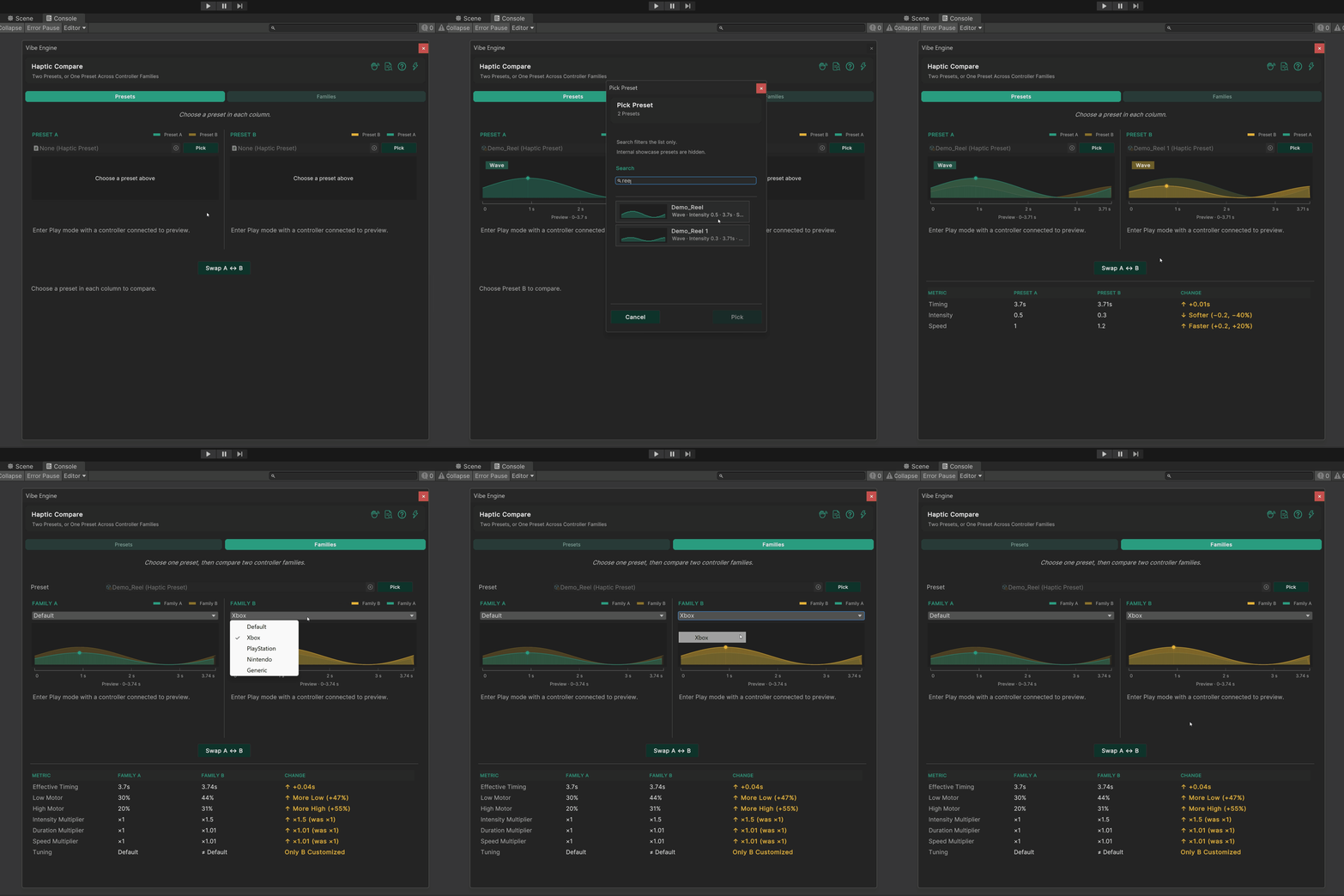
a visible call instead of a remembered vibe.
Once “close enough” is a visible decision, the next problem shows up fast: even a winning preset can hide how the intensity actually moves. That is where Live Waveform comes in.
Live Waveform: see the shape of the feel
Play Mode confirms vibration. Waveform explains the envelope.
A short thump and a slow swell can feel “fine” in isolation and wrong in a combat string. Without a graph, you are stuck describing feel with adjectives: snappy, muddy, weak, heavy. Those words do not survive a week of iteration or a second designer on the same preset.
Live Waveform turns the rumble into something you can inspect. Watch the shape while you tweak, keep a controller in the loop when you can, and treat the curve like any other authored timing asset.
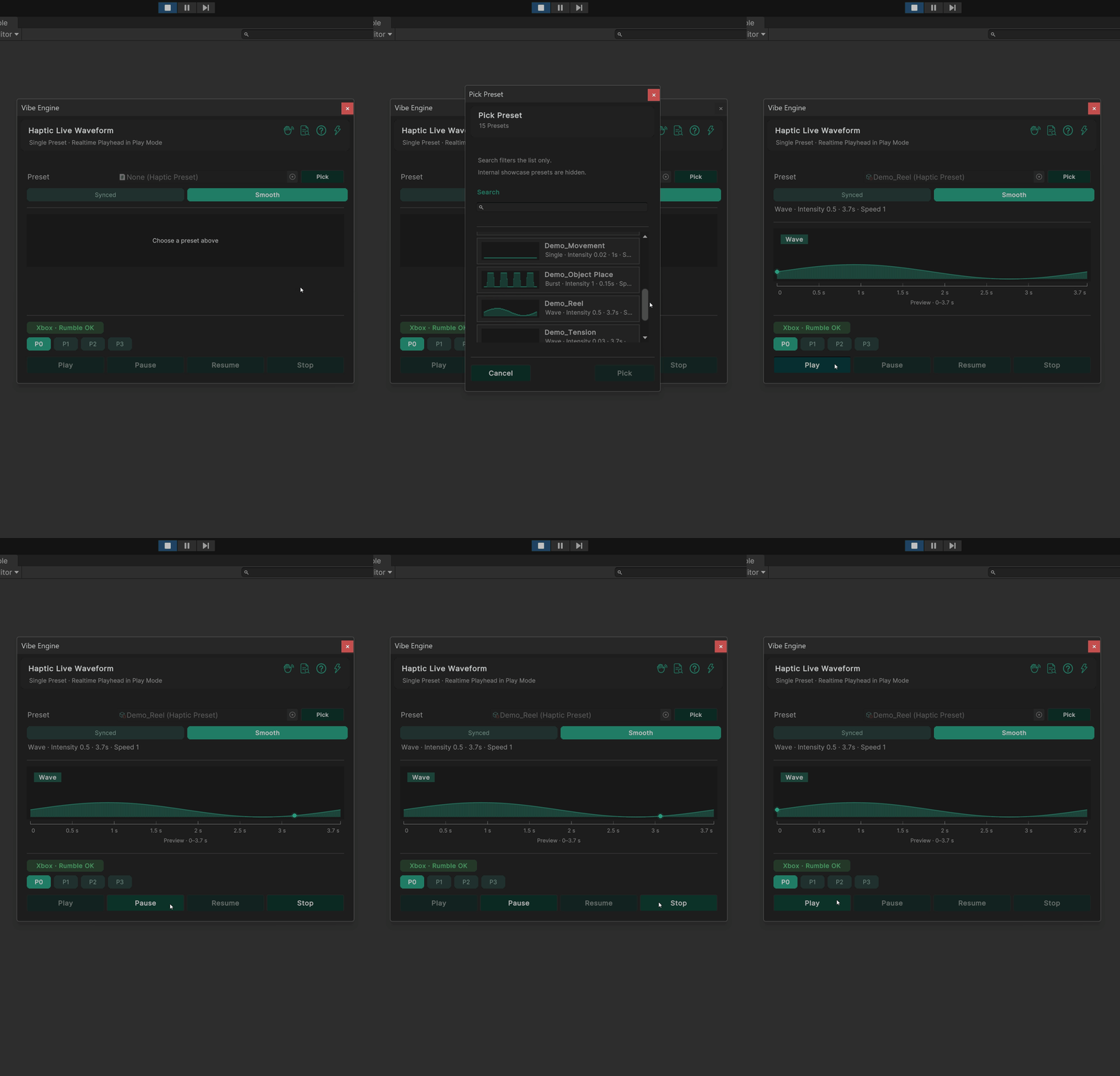
A clean shape is still only one take. Games repeat impacts constantly, and perfect clones start to sound (and feel) fake. Pattern Randomizer covers that last mile without exploding your preset folder.
Pattern Randomizer: variation without preset spam
Controlled variety so the tenth hit still feels alive.
Duplicate assets are a trap. You either ship identical feedback every time, or you fork Hit_01 through Hit_12 and hope someone remembers which one is canonical. Neither scales.
Randomizer is the compromise: explore small, intentional variation around a base feel, preview candidates quickly, then promote only the versions that deserve a library slot. The rest stay experiments, not project clutter.
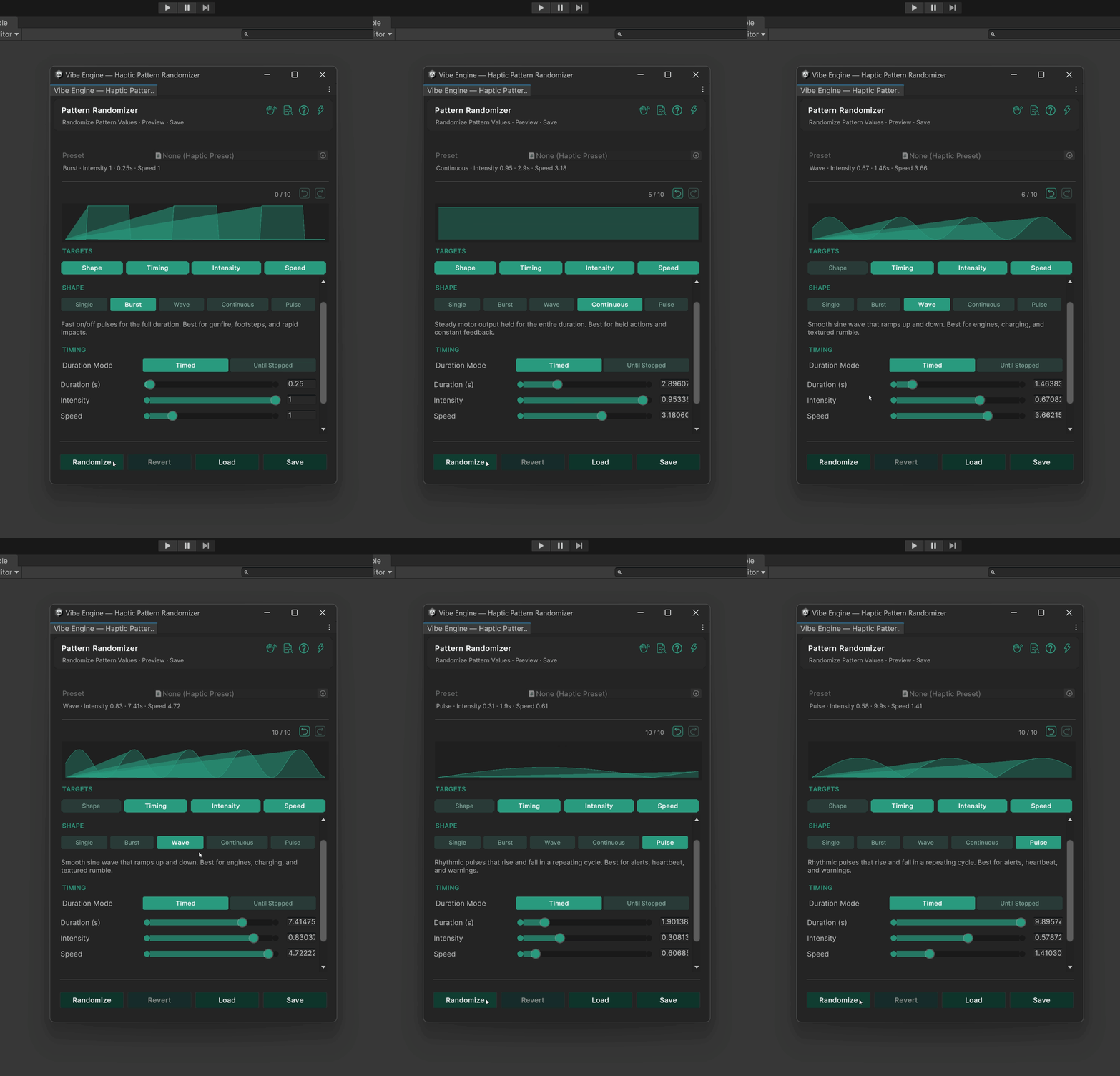
stay alive without flooding the project with one-off assets.
Authoring, comparing, watching, and varying give you a stable feel library. The remaining question is delivery: Steam, console-class paths, or custom hardware without rewriting that library from scratch.
Platforms and modules
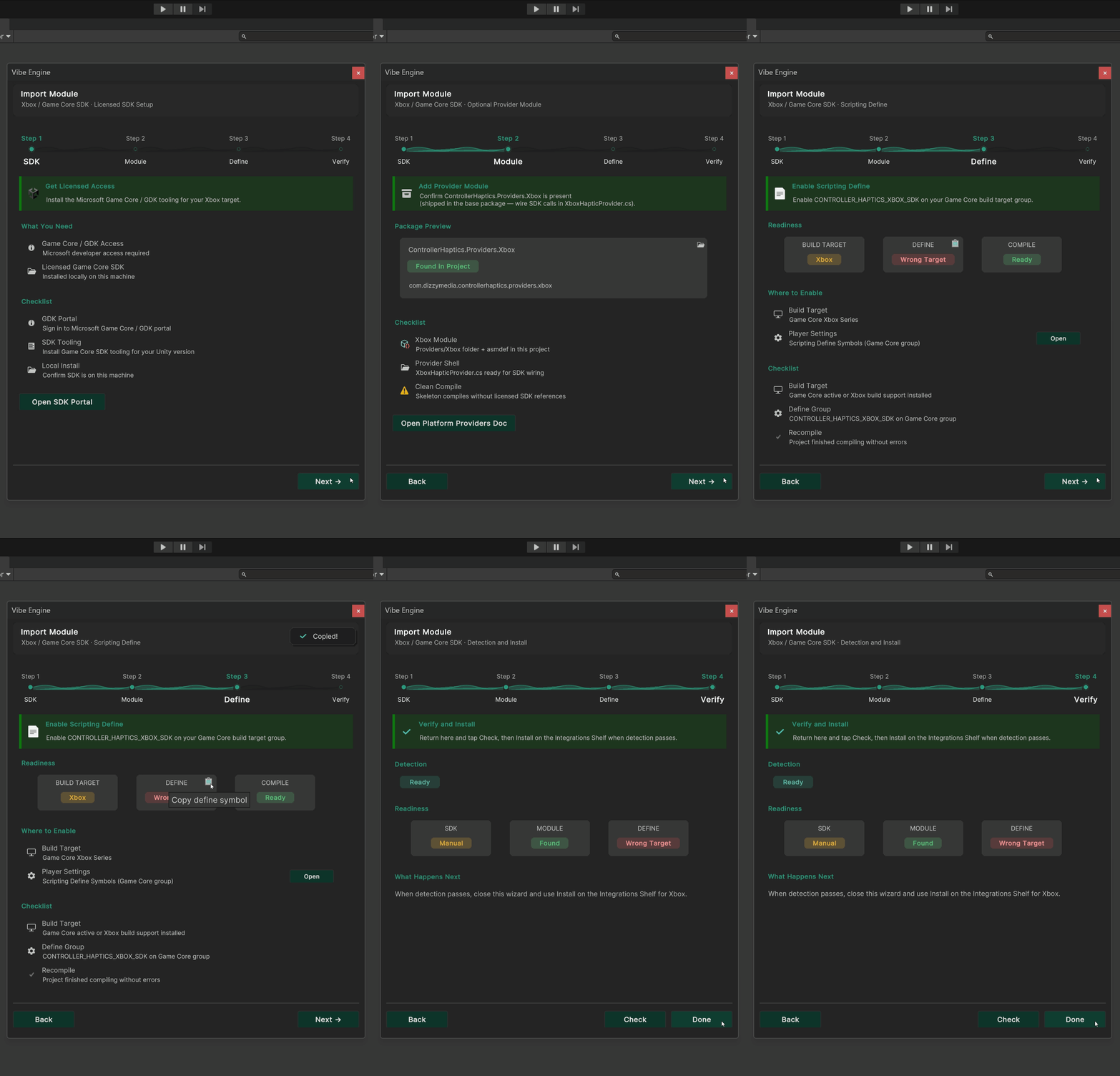
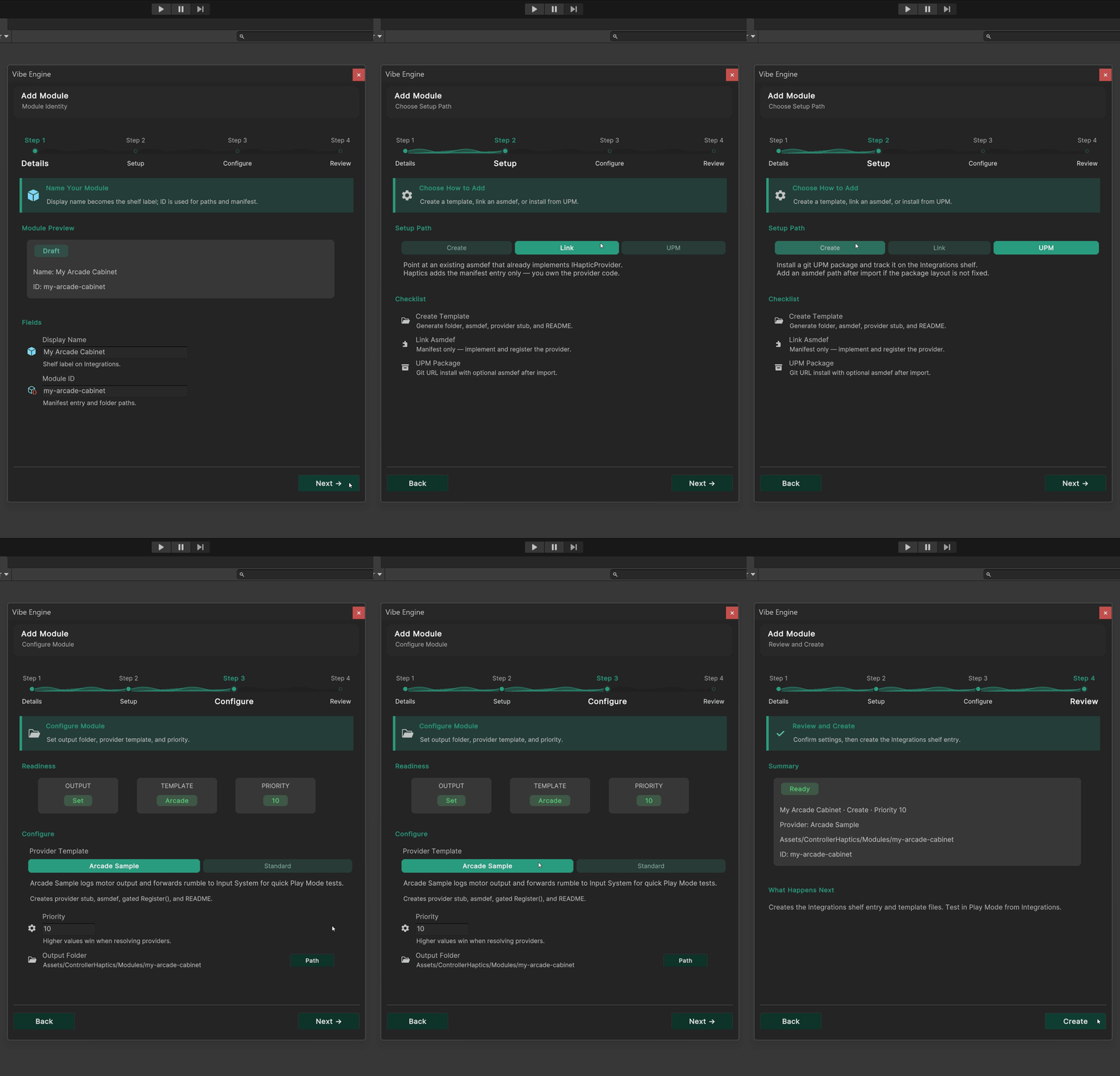
Same presets. Different backends when you need them.
Shipping on Steam or planning console-class paths should not force a rewrite of your whole feel library.
Feel work dies when every platform forces a new authoring path. Module slots exist so the studio loop stays familiar while Steam Input, console shells, or a custom provider handle how motors actually fire.
Closing the loop
Turn “it vibrates” into a feel pipeline you can actually ship.
Most projects do not fail haptics because motors are hard to call. They fail because feel never becomes shared work: no named patterns, no honest A/B, no visible envelope, and no plan for repetition or platforms. Fix those habits and rumble stops being late polish and starts behaving like audio or VFX.
On your next pass, keep it simple:
- Name the feel – one reusable preset (or shared asset) per beat, not loose floats in gameplay scripts.
- Compare before you commit – put two options side by side when “almost” is the real debate.
- Inspect the shape – when something feels wrong, check intensity over time, not only whether the pad buzzed.
- Vary repeats on purpose – small controlled differences beat cloning a pile of near-identical hits.
- Keep delivery behind the library – Steam, console-class paths, or custom hardware should not force a second authoring system.
You can build that loop in-house or adopt a toolkit that already packages it.
Either way, the bar is the same: feel you can see, compare, and reuse.
If you want that workflow ready-made for Unity, try the standalone demo or see Vibe Engine – Controller Haptics.